Retro Room · in every Workspace

Sprint retrospectives that end in a change, not a wall of sticky notes.

Every SprintBee Workspace has a Retro Room beside its Planning Room. Reflect anonymously, vote on what actually matters, and leave with owned improvement actions that come back for review — instead of a board nobody opens again.

  • Included on every plan, Free too
  • No account needed to take part
  • Actions that come back for review
Retro Roomsprintbee.net/retro/BUZZRT
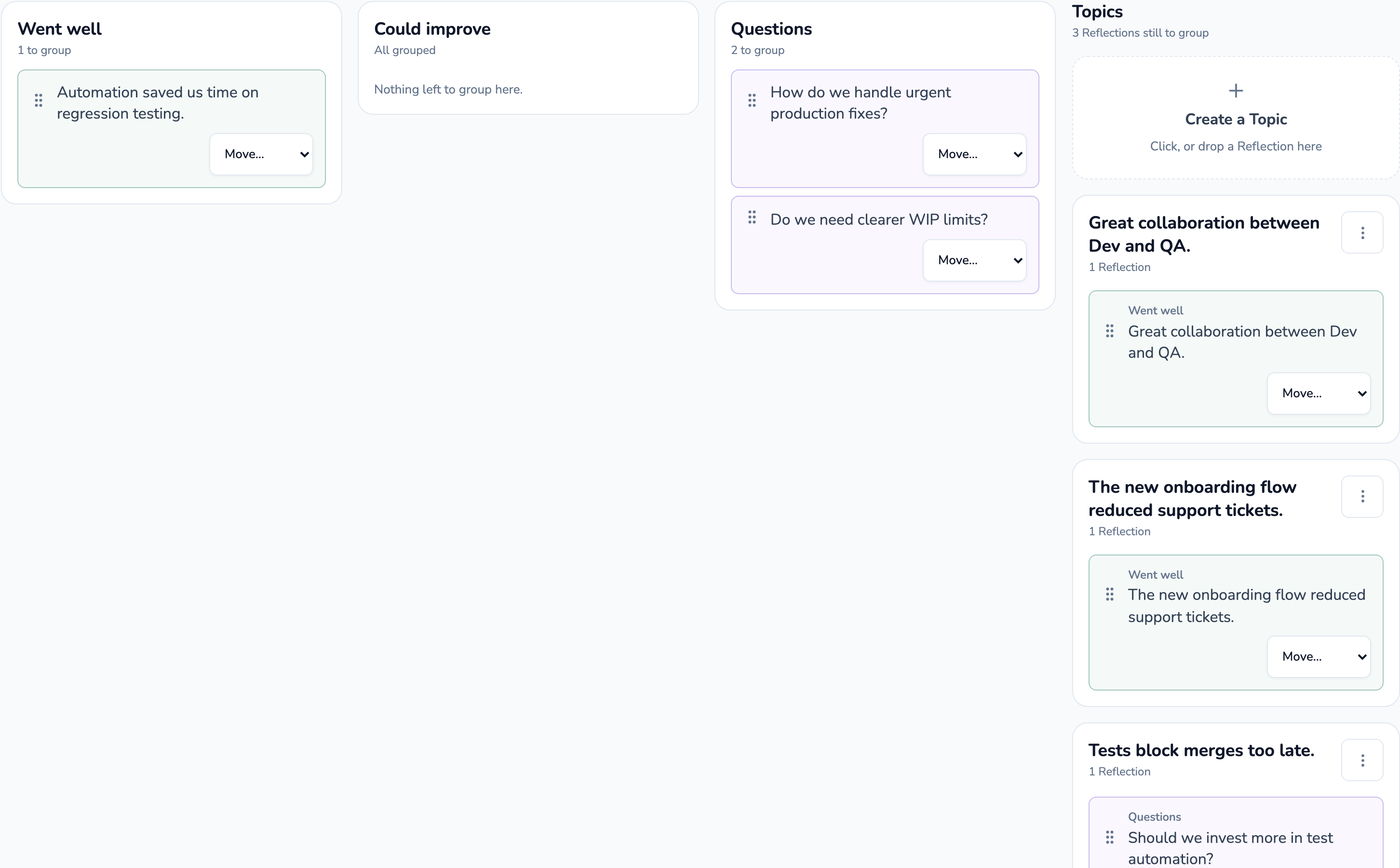
A Retro Room organize board: anonymous reflections grouped into named topics, each showing how many reflections it holds.

What's in a Retro Room

One Retro Room per Workspace, always at the same link

The Retro Room is persistent. It sits beside the Planning Room in the same Workspace and shares its tracker connection and its history, so the team returns to the same place every sprint. Issues come in from Jira or Linear to be refined and estimated, accepted estimates are written back, and improvement actions leave as linked issues. The whole guided ceremony is free — only the points tagged Pro need a paid plan.

  • A guided ceremony: Prepare, Reflect, Organize, Prioritize, Discuss, Commit, Close
  • Anonymous or named reflections — anonymous by default
  • Private or live reflection visibility, chosen before the retro opens
  • Async reflection windows so people can think before the meeting
  • Secret topic voting — individual choices are never revealed
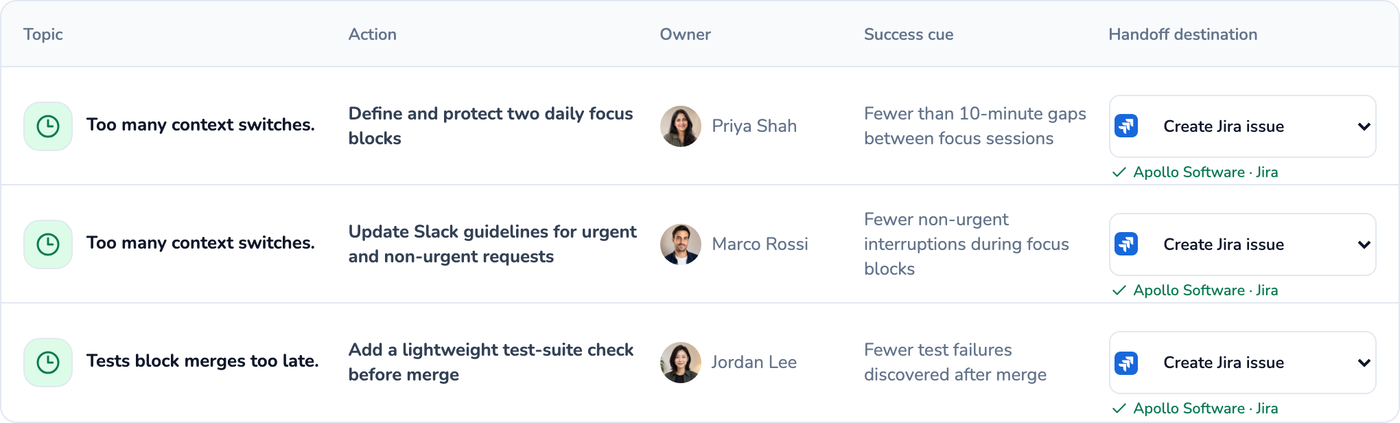
  • Improvement actions with an owner and an optional success cue
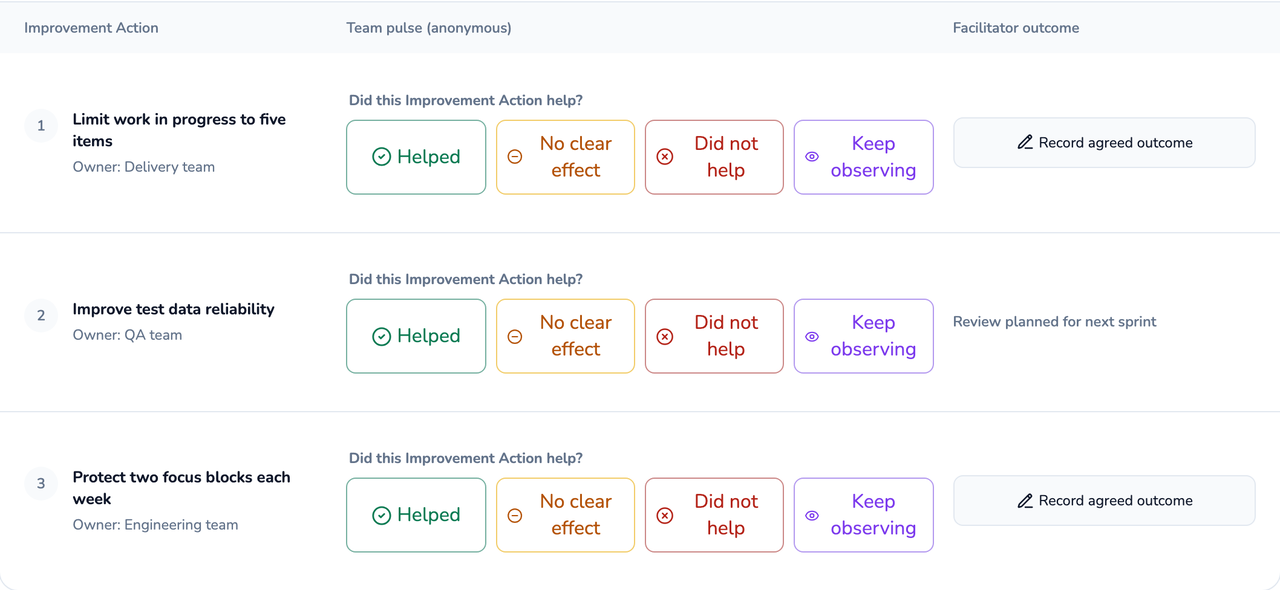
  • Outcome review: did the change actually help?
  • A structured retro summary the team keeps
  • AI-suggested groupings of related reflections Pro
  • Signals read from your connected tracker Pro
  • Reusable retro templates Pro
  • Improvement actions created as linked Jira or Linear issues Pro
  • Retro summaries delivered to Slack or Microsoft Teams Pro

Everything above without a Pro tag is on Free. See the full plan comparison, or what the Planning Room includes on Free.

How it works

How a SprintBee retro runs

1Evidence

Start from what the sprint actually showed

Retros stall when nobody can remember past last Thursday. The Retro Room shares a Workspace — and its tracker connection — with the Planning Room, so SprintBee can offer the facilitator private Signals before the team starts: work items that carried across consecutive cycles, work aging in blocked or in review, a shift in median cycle time, or an improvement action still waiting on its outcome review.

Signals are prompts, never verdicts. The facilitator decides whether to introduce one, they never appear as if a teammate wrote them, and they never rank or attribute an individual's performance.

Reminders about improvement actions still waiting on their outcome review need no connection at all — they come from your own retro history, on every plan.

Signals read from your connected tracker. Pro

2Reflect

Anonymous by default, private until the team is ready

Participants write against a prompt set — Went well / Could improve / Try next, Start / Stop / Continue, Mad / Sad / Glad, Four Ls, or open reflection. Anonymous is the default identity mode and private is the default visibility, so nobody anchors on the first or loudest note.

Reflection can run live on a shared countdown the facilitator controls, or asynchronously against a deadline, so someone in another timezone isn't reduced to reading a summary of a conversation they missed. Until the reveal, the facilitator sees who has contributed — not what they wrote.

Revealing is deliberate and one-way. It closes writing rather than leaking content early.

3Prioritize & discuss

Spend the meeting on the topics the team chose

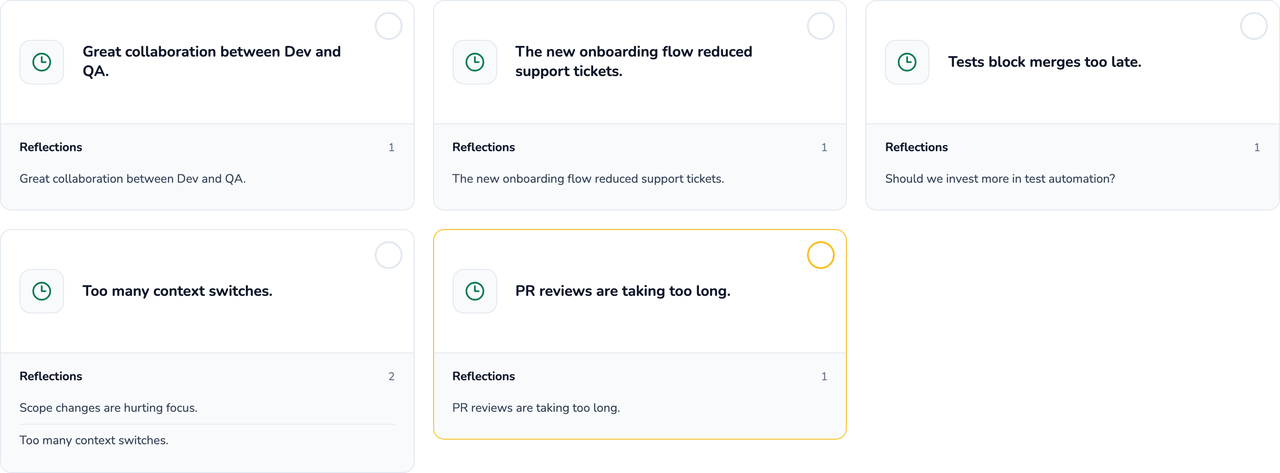
The facilitator groups related reflections into topics and titles them, then opens voting. Everyone gets up to five choices and can change them until voting closes. Individual votes stay private even in a named session; only the totals are shown.

Topics then come up in vote order, with a timer the facilitator can reset as the discussion moves on. A topic can be parked, and a parked one returns as a private Signal next time instead of quietly reappearing on the board.

Fewer topics, actually discussed.

4Commit & review

An action with an owner, and a date it comes back

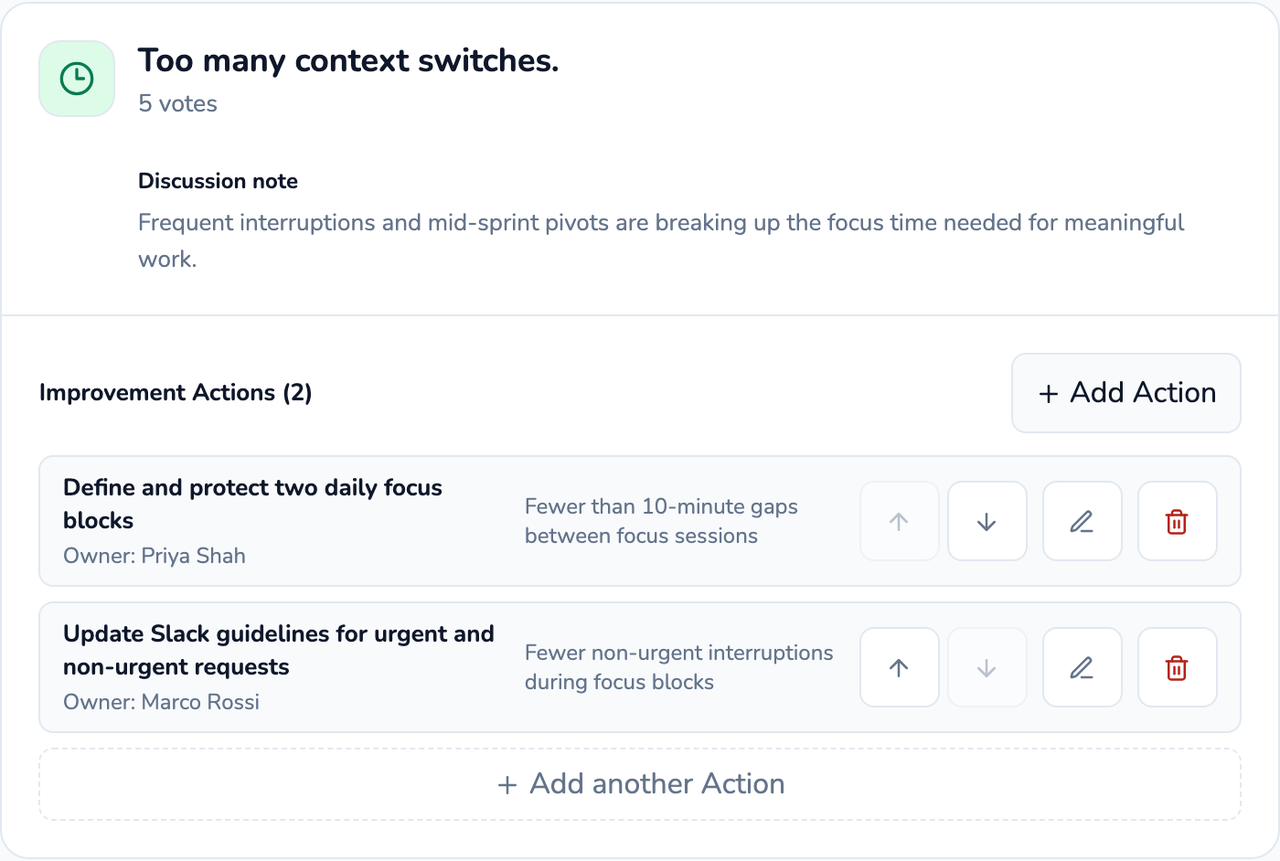
Actions get drafted while the discussion is still fresh, then reviewed together at Commit. Each one needs a clear statement and a human-readable owner — a person, a pair, or a role — and owners don't need a SprintBee account. A topic that produces no action is a perfectly valid outcome and never looks unfinished.

Every improvement action carries a review target, defaulting to the next retro. When it comes back, the team records one honest verdict: it helped, it didn't help, there was no clear effect, or keep observing. That last step is the one most retro tools leave out.

Close the retro and each improvement action can be created as a linked issue in Jira or Linear, carrying its owner and its success cue with it — so the change the team agreed to lives where the work already lives.

Actions leave as linked issues. Pro

FAQ

Common questions about SprintBee Retros

Do participants need an account to join a retro?
No. Share the Retro Room link and people join and add reflections without an account. Starting or facilitating a retro does need a signed-in user authorized for the Workspace — that's what keeps the ceremony and its history under the team's control.
Are the reflections really anonymous?
Anonymous is the default identity mode, and in private visibility mode participants see only their own reflections until the facilitator reveals. The facilitator sees that you contributed, not what you wrote. A retro can be set to named instead, but that's a deliberate choice made before the session opens — never a switch flipped midway.
Can people reflect before the meeting?
Yes. Instead of a live countdown, the facilitator can open a reflection window with a deadline, so people contribute on their own schedule — the same shape as async estimation in the Planning Room. It's on every plan, Free included.
What happens to what we wrote after the retro?
Closing freezes the factual record: discussed topics, vote results, discussion notes, and committed actions. Raw reflection text is kept for 90 days and then purged automatically. A Retro Room link admits someone to the current or upcoming ceremony, never to past retros — full history needs a signed-in user authorized for the Workspace.
Is the retro included on the Free plan?
Yes. Every Workspace includes a Planning Room and a Retro Room, and Free includes one Workspace with unlimited teammates. The whole guided ceremony is on Free. Paid plans add AI-suggested groupings, Signals read from your connected tracker, reusable templates, Jira and Linear action creation, and Slack or Microsoft Teams delivery. See the full plan comparison.
How is this different from a whiteboard tool?
A whiteboard gives you an infinite canvas and no opinion about what to do with it. SprintBee gives you one guided ceremony that ends in owned actions, sitting next to the tracker the work already lives in — so an action leaves as a linked issue instead of a line in a doc nobody reopens. There's no drawing, no icebreaker library, and no mood survey — those were left out on purpose.
Can we try it without signing up?
Yes. The retro demo runs entirely in your browser — no account, and nothing you do there touches a real Retro Room.
Run your next retro
in the time it takes to read this.

Your Workspace already has a Retro Room. Enter your email and you'll be in it in under a minute.