Planning poker that integrates with Jira
Bring your Jira Cloud backlog into a fast, collaborative estimation room — vote, reveal, agree — then sync the story points straight back to the issue.
- ✓ Search, presets, or full JQL import
- ✓ Personal or admin-installed app connections
- ✓ No Jira connection? Use the free Browser Companion
 3
3Estimate in SprintBee, keep Jira in sync
Bring your backlog into the room.
Search Jira by keyword, start from a quick preset — Current sprint, My open issues, Recently updated — or open Advanced mode for full JQL. Paste a bare issue key or URL and it imports directly. Workspace settings can scope every search to specific Jira projects. Connect with a teammate's Atlassian account or use the shared Jira app installed by an administrator. See the Jira integration setup guide to compare the connection methods.
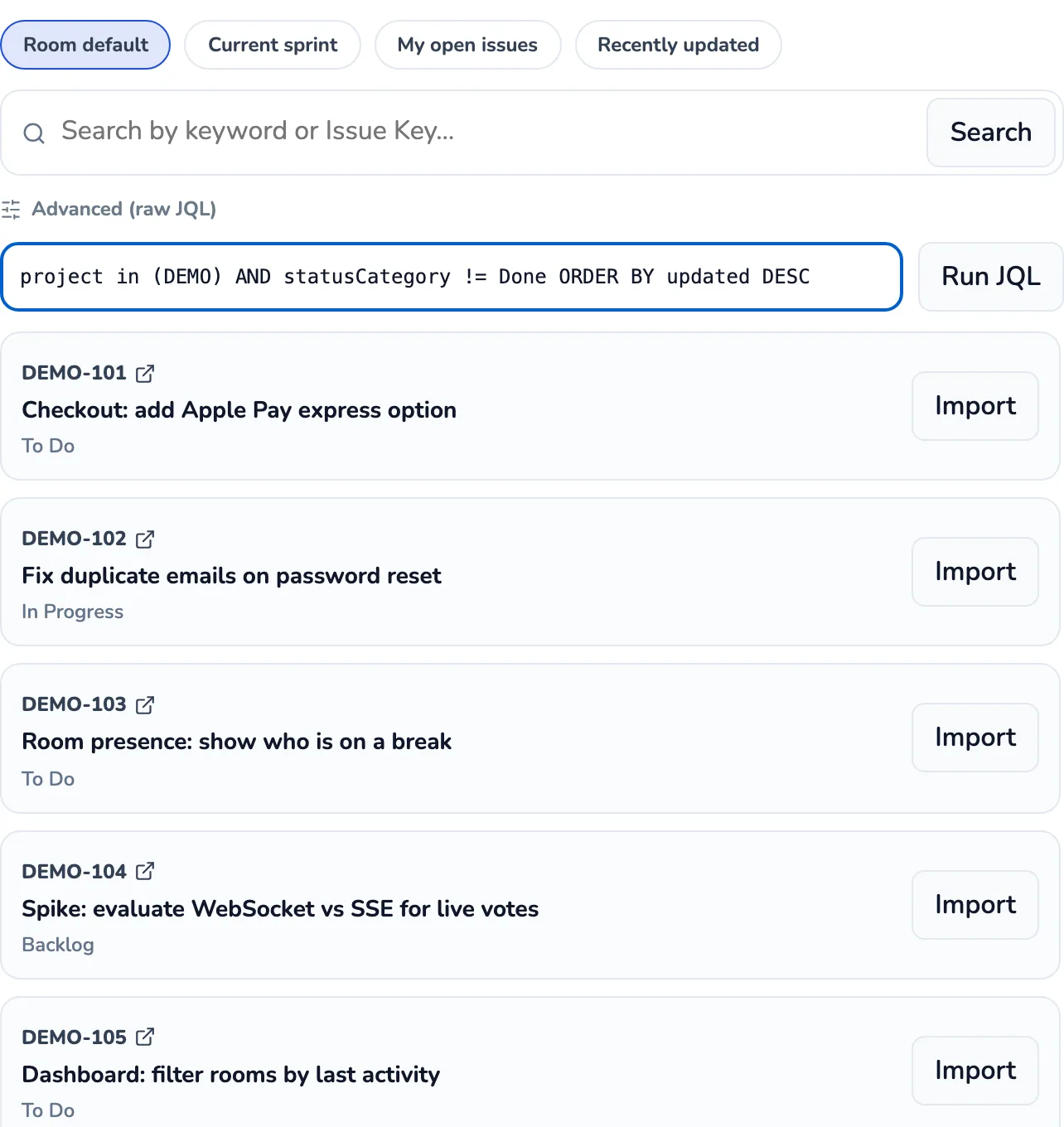
Estimate on the real issue.
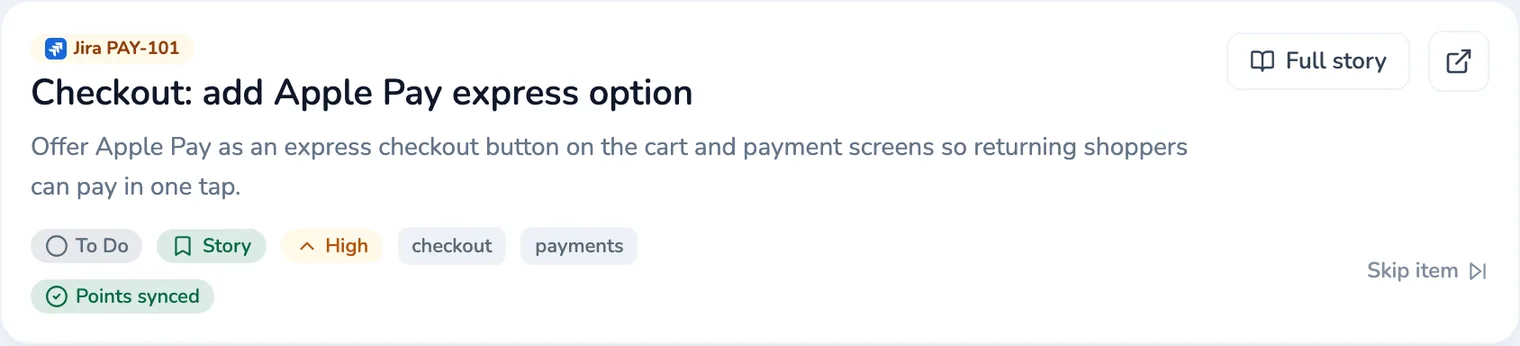
Everyone sees the Jira issue as they vote. Cards stay hidden until the reveal, then the room shows the spread and exactly where the team splits.
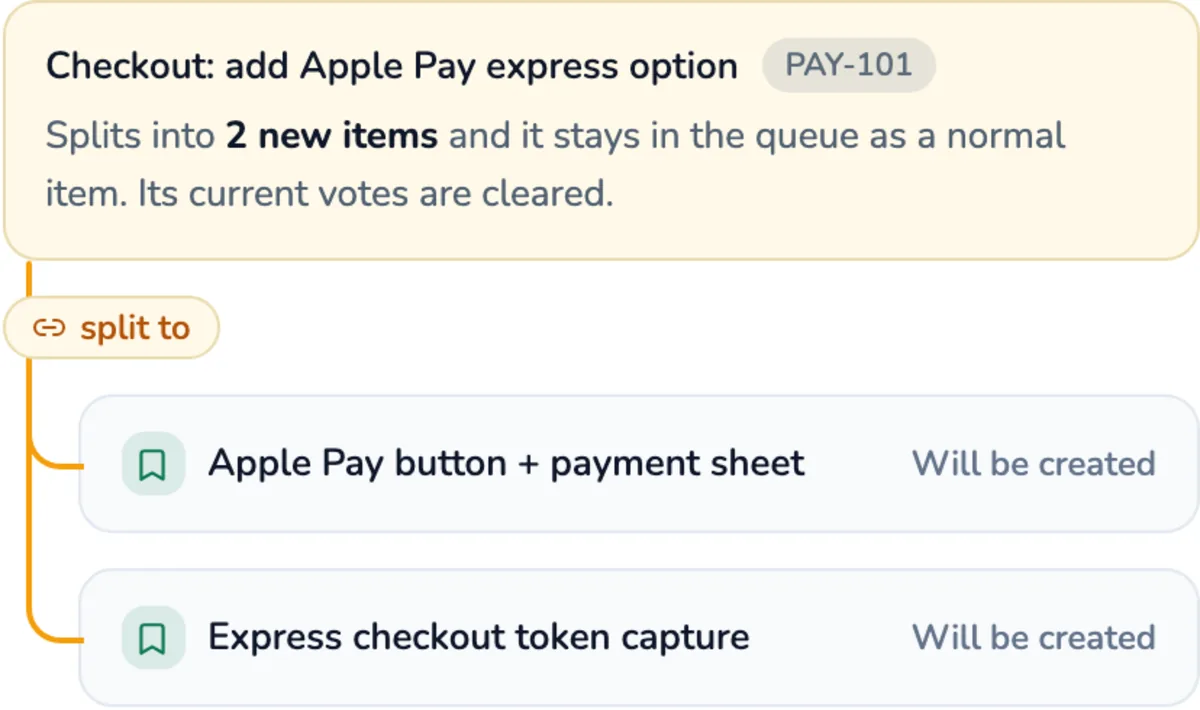
Too big to estimate? Split it in place.
When a work item turns out to be two or three things, a moderator can split it right in the room. Keep the original or retire it, and the new items sync straight back to Jira as their own linked issues.
Points written straight back.
Accept a result and SprintBee writes it to the mapped story-point field on the issue. Map the field once per room and every estimate syncs automatically.
Map to the field you actually use.
Story points don't always live in the default field. Choose exactly which Jira field each room writes to — story points, a custom number field, or a text/select field for non-numeric decks. Split Dev/QA rooms can map independent Dev, QA, and combined Dev+QA fields, too. Not sure which scale to use? Compare story-point card decks.
No API access? No problem.
Can't connect Jira to SprintBee? Install the free Browser Companion for Chrome, open a Jira Cloud issue, and a moderator can capture it straight into the room's queue — no API connection or admin approval needed. It captures one issue at a time and reads only the issue key and a best-effort title; it never writes anything back to Jira. Add SprintBee Companion to Chrome from the Chrome Web Store, or see the Browser Companion setup guide for install steps.
Common questions about the Jira integration
- Is this Jira Cloud or Jira Data Center?
- Jira Cloud only. Teams can connect with a teammate's Atlassian account or a shared Jira app installed by a site administrator. Both use Jira Cloud APIs; Jira Data Center and Server aren't supported today.
- How does my team connect Jira?
- Choose a personal connection when a teammate should authorize Jira and have updates attributed to their Atlassian identity. Choose the shared SprintBee Jira app, built on Atlassian Forge, when an administrator should install one organization-level connection and have updates attributed to SprintBee. Workspaces keep whichever connection you select and share it across their Planning and Retro Rooms.
- What if I don't have Jira API access?
- Use the free Browser Companion for Chrome instead. It pairs whichever Jira Cloud tab you already have open with a room, and a moderator can capture the visible issue's key and title straight into the queue — no API connection or admin approval needed. It captures one issue at a time and never writes anything back to Jira; use a personal or shared app connection when you want search, one-click import of individual issues, and story-point write-back.
- Can I import from a specific board or saved filter?
- Not directly today. Import is by keyword search, three quick presets (Current sprint, My open issues, Recently updated), full JQL for anything more specific, or pasting an issue key or URL. If your board or filter has an underlying JQL query, you can paste that into Advanced search.
- Is the Jira integration free?
- It's part of SprintBee's paid plans. Free-plan rooms can still estimate anything, including issues captured through the free Browser Companion, but Jira search, import, and story-point write-back require a paid plan.
See pricing for plan details.

Start estimating with Jira
in the time it takes to read this.
Spin up a room, import your Jira issues, and keep your backlog in sync.