Free plan · no credit card

Free online planning poker with real hidden voting. No credit card, ever.

SprintBee's Free plan is a real planning poker room, not a stripped-down trial. Hidden voting, async estimation, custom card decks, and unlimited teammates are included from the first round — no card on file, no time limit on the plan itself.

  • One active room, unlimited teammates
  • Async estimation on every plan
  • Custom decks & voting settings
What's included on Free

A real room, not a stripped-down trial

Every SprintBee room — Free included — supports unlimited teammates and the same core estimation experience. Paid plans add more rooms and a few team-management features, not a better version of the room itself.

  • One active planning room
  • Unlimited teammates in the room
  • Async estimation — every plan, Free included
  • Custom estimate decks and voting settings
  • Completed item history and CSV export
  • No credit card required

Multiple rooms, Jira and Linear integrations, Slack and Microsoft Teams notifications, and room access controls (passwords, required sign-in, domain restrictions) are part of the paid plans. See the full plan comparison.

How it works

A round, start to finish

Voting & decks

Vote privately, reveal together, decide as a team

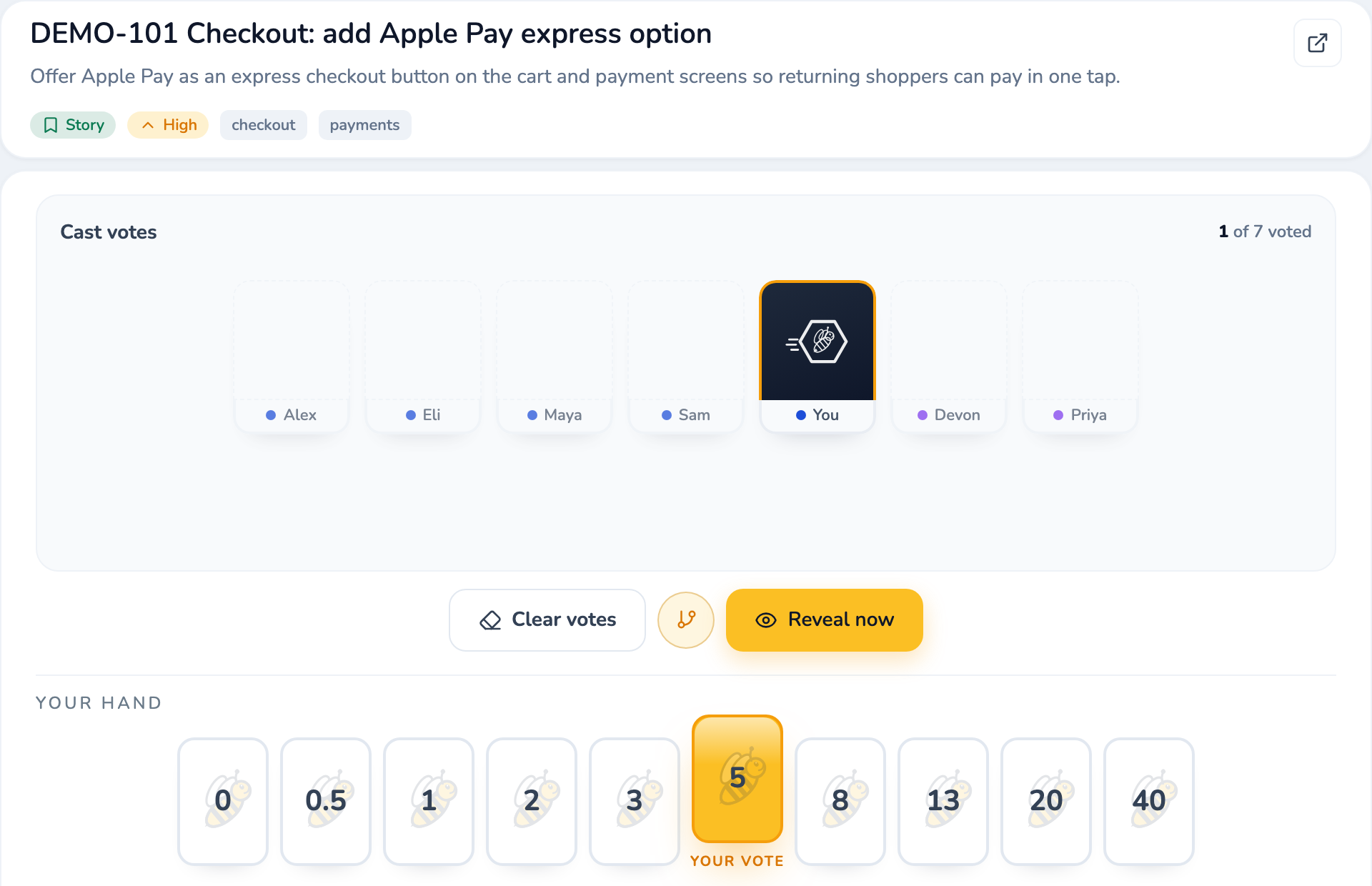
Pick a work item, discuss it briefly, then vote. Votes stay hidden from everyone — including moderators — until the reveal, unless a room turns on "Show votes live." Click a card to vote, click it again to retract, or press a number key (1–9) to vote the matching card in your team's deck.

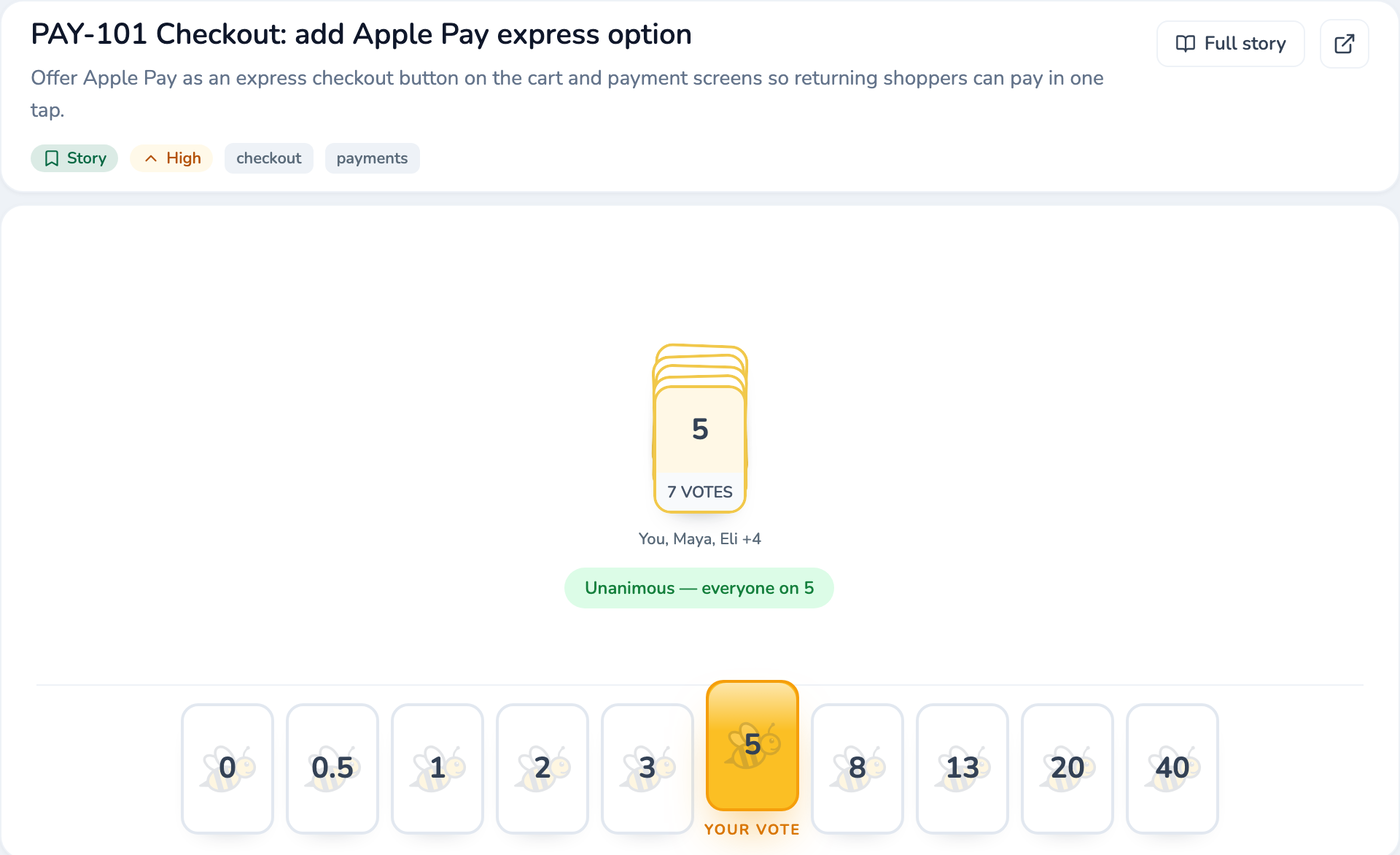
A moderator reveals once at least one vote is in, or the round reveals on its own once everyone eligible has voted. After reveal, the room shows one of four results — Consensus, Split, Wide Split, or No votes — so the team knows immediately whether to accept or keep discussing.

The hand above is the default Modified Fibonacci deck, one of six built-in decks (Fibonacci, T-Shirt Size, Powers of Two, Sequential, Hours) plus quick-add cards for "not enough info" (?), "too large to size" (∞), and opting out (Pass). Every deck is editable — add, remove, or reorder up to 15 cards, each up to 4 characters.

A SprintBee voting hand of Modified Fibonacci cards mid-round: one card selected as the current player's vote while teammates' votes stay hidden.
Async estimation

Estimate on your own schedule, not just in the meeting

A moderator can open a voting window on a batch of queued items with a deadline — 24, 48, or 72 hours, or a custom time. Everyone votes independently whenever it suits them; votes stay hidden until the window closes by default (moderators can choose to show them live instead).

Set the window to auto-accept items where everyone agrees exactly, agrees within two neighboring deck positions, or leave it off so every item comes back for a live discussion. A single vote never auto-accepts on its own — SprintBee waits for at least two before calling it consensus. Anyone can opt in to a one-time email reminder before the deadline; it only needs an email address, not an account. This is free on every plan, Free included.

An async ballot: two items voted, one still open, with a close deadline and per-item receipts.
Participants

Everyone gets a seat, and a role

Share the room link or code — no account is needed to join and vote. Each person picks Dev, QA, or Observer when they join: Dev and QA vote, Observer follows along without ever blocking a round.

Moderator isn't a fourth role — it's a permission layered on top, grantable to more than one person from the Participants tab. If no one currently holds it, anyone can take it, and the room owner can always reclaim it. A short reconnect grace period covers dropped connections, so a flaky network doesn't bump someone from the vote count.

The Participants panel listing teammates with their Dev, QA, or Observer role and a Moderator tag.
FAQ

Common questions before you start

Is this actually free, or a limited trial?
Free is a real, ongoing plan — $0, no credit card, no trial clock. It includes one active planning room with unlimited teammates, async estimation, custom decks, and completed-item history with CSV export, for as long as you use it.
Do I need to create an account to try it?
No. The live demo runs entirely in your browser — no account, and nothing you do there touches a real room. Creating a free account only comes in when you want a persistent room you can share with your team.
Is there a limit on how many people can join a room?
No — every plan, including Free, supports unlimited participants in a room. You're never charged per seat.
What's the catch?
Free includes one active room. If your team needs more than one persistent room, or wants Jira/Linear integrations, Slack or Microsoft Teams notifications, or room access controls, those are part of the paid plans. See the full plan comparison.
Can I import work from Jira or Linear on the Free plan?
No — Jira and Linear integrations require a paid plan (Pro, Growth, or Business). On Free, you add work items directly in the room's Write tab, which works for any team regardless of where their backlog lives.
How is this different from the SprintBee homepage?
The homepage covers SprintBee broadly, across every plan. This page is specifically about what's included on the Free plan and how to start today at no cost.
How is this different from the planning poker guide?
Our planning poker guide explains the technique itself — where it came from and how a round works — without asking you to try anything. This page is about the actual SprintBee room you'd use to run one.

Start estimating for free
in the time it takes to read this.

No credit card, no trial clock — start when you're ready, or try the demo first.