Remote planning poker: facilitating fair estimation across time zones
Estimating well is harder when your team is spread across time zones, video calls replace hallway conversations, and half the room has its camera off. This guide covers the remote-specific failure modes of planning poker and backlog refinement (anchoring, time zone fairness, quiet participants, and meeting fatigue), plus when to estimate live versus asynchronously, a facilitation checklist, accessible participation practices, and a sample agenda. Every practice here works with any tool, including a plain video call and a shared spreadsheet.
Remote calls make anchoring easier, not harder to avoid
In person, anchoring happens when the first spoken number sets the room's anchor: a senior engineer says "5" out loud and the conversation quietly narrows around it. Remote calls do not remove that risk; they just change its shape. A raised eyebrow on video, a "same here" in chat, or someone unmuting half a second early can leak the same signal before anyone has actually voted.
The fix is unchanged from the original card-based technique: estimate independently, then reveal at the same time, every time. If your team is voting over a screen share, a chat thread, or spoken numbers going around the call, that is not planning poker anymore. It is a survey with extra steps. Whatever tool or medium you use, confirm votes are genuinely hidden until reveal, not just "please don't say your number yet."
Distributed teams often default to whatever meeting time was convenient for the person who first set up the calendar invite, which quietly puts the time zone tax on the same region every single time. Rotate your regular estimation session across a few different times over a month so the early-morning or late-night slot moves around the team instead of settling permanently on one group.
For teams spread across many time zones, splitting into smaller regional sub-sessions with a shared written record can beat forcing one all-hands call across ten-plus hours of offset. Record sessions for anyone who cannot attend live, and make sure the recording and a written summary are actually easy to find afterward. A session nobody can catch up on later has effectively excluded whoever missed it.
Draw out the quiet voices on the call
Video calls do not naturally equalize participation — they tend to amplify whichever dynamics already exist in the room. The people who dominate in-person meetings usually dominate video calls too, and quieter teammates get fewer natural openings to jump in without a facilitator creating one on purpose.
Concrete moves that measurably help: round-robin prompts ("let's go around, Priya, what did you see in this one?"), breakout sub-groups for larger teams, and anonymous voting so a quiet or junior teammate's estimate carries the same weight as the most senior voice on the call. Don't assume that everyone being visible on video means everyone is actually being heard.
Watch for meeting fatigue
Not every estimation conversation needs a video call. Shorter, more frequent, tightly timeboxed sessions generally beat one long infrequent session, and alternating formats (a phone-only call, an async written round, a quick recorded update instead of a scheduled meeting) reduce the back-to-back video load that wears distributed teams down.
If the team's calendar is already dense with standups, planning, and reviews, look for items that are already well understood and move them to an async round instead of defaulting to another meeting.
Choose live or async estimation for each item
Live and asynchronous estimation solve different problems, and the choice should be made per item, not as a blanket team policy. Live discussion earns its cost on items that are genuinely ambiguous (unclear acceptance criteria, a new domain, or real disagreement about scope), because that is exactly where real-time back-and-forth surfaces the assumptions a written thread would miss.
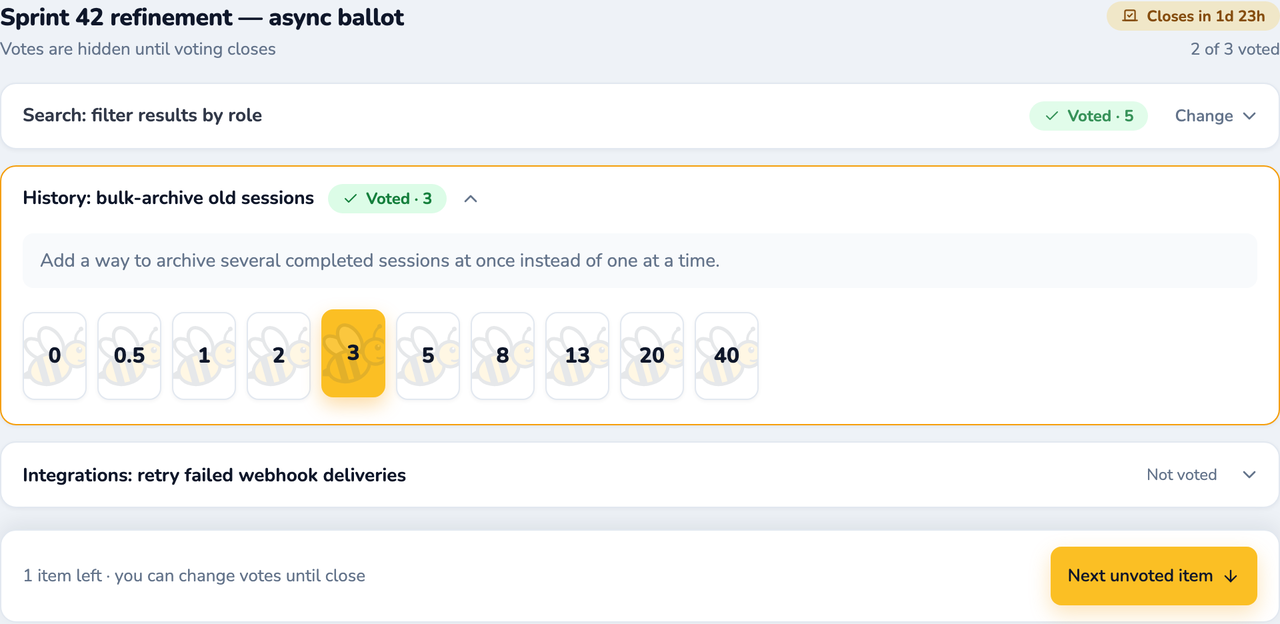
Async estimation works best on items that are already well-refined and only need a size. A moderator opens a voting window with a deadline, everyone votes independently on their own schedule, and only genuine disagreements come back for live discussion, which keeps live meeting time focused on the items that actually need it instead of re-litigating things the team already agrees on.
Don't treat async as a silver bullet: it extends cycle time for items that need real clarification, and it only works if hidden voting and independent judgment are preserved just as strictly as they would be live. The discipline matters more than which tool runs it.
Remote facilitation benefits from an explicit checklist more than in-person facilitation does, because there are more small things that can silently go wrong: a muted mic, a vote that was visible before reveal, a time zone nobody accounted for.
Before: confirm the backlog items are refined enough to size, share the agenda and item list in advance, and name who is moderating so it isn't ambiguous mid-call.
Before: check that votes will actually stay hidden until reveal in whatever tool or process you're using, not just on the honor system.
During: state the item and acceptance criteria out loud before opening the vote, even if it's already written down. Some participants are listening more than reading.
During: call on quieter participants by name after a reveal, especially before a louder voice re-explains its own number.
During: timebox each item and say so out loud, so no single story quietly eats the whole session.
After: record the accepted estimate and who voted, note anything flagged for a spike or split, and share a written summary for anyone who missed the live call.
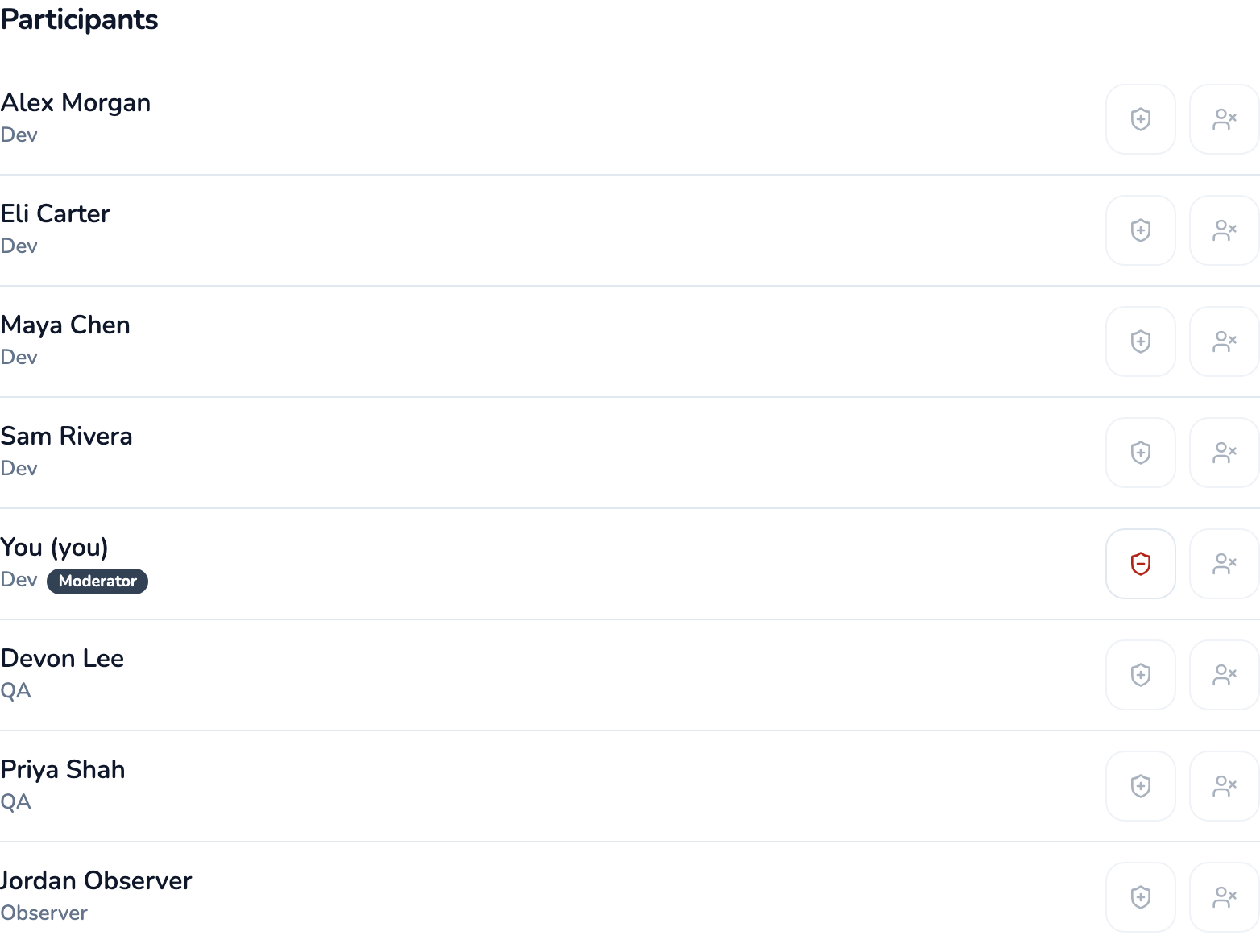
In SprintBee's Participants tab, naming a moderator explicitly, and making it easy to hand off, avoids the "wait, who's running this?" pause on a remote call.
Make participation accessible by default
Turn on live captions by default instead of waiting for someone to ask: asking singles a person out, and some people will simply stay quiet rather than request it. Don't mandate cameras on: bandwidth constraints, disabilities, caregiving in view, and plain camera fatigue are all legitimate reasons a teammate might keep their camera off, and none of them affect their ability to estimate well.
Provide a written or async alternative to any live verbal discussion for people who process better in text or need more time to respond than a live call allows. If your estimation tool supports voting from the keyboard rather than requiring precise mouse clicks, that is a small but real accessibility win for keyboard-first and assistive-technology users.
A synchronous agenda for a 30-40 minute session
This shape covers most teams with a solid overlap window. It needs no specific tool: a shared doc, a video call, and a way to vote privately is enough.
0-5 min. Opening: confirm which items are in scope today and who is moderating.
5-20 min. Clarify each item: the item owner states the goal and acceptance criteria; questions get logged, not necessarily resolved on the spot.
20-33 min. Vote privately, reveal together, discuss the highest and lowest estimate, then revote once per item.
33-37 min. Flag anything that didn't converge or looks oversized for splitting after the call.
37-40 min. Close: confirm which items are now ready, and note follow-ups and owners.
A hybrid pattern when the team barely overlaps
When your team has only an hour or two of overlap a day, or none, keep the step that most needs real-time back-and-forth synchronous, and move the rest async.
Keep clarifying questions synchronous, in whatever overlap window exists. That step benefits most from real-time back-and-forth.
Move voting to an async, hidden submission with a clear cutoff, so nobody has to vote at an inconvenient hour just to click a card.
Bring outlier discussion back to the next available sync window, or a short recorded video with threaded replies if no sync window works for everyone — don't skip this step even when the rest of the process is async.
After the session: recording decisions and following up
An estimation session that ends without a record might as well not have happened for anyone who wasn't on the call. Write down the accepted estimate for each item, note anything flagged for a spike or a split, and identify who owns the follow-up before the meeting ends.
When an item gets flagged for splitting because the team can't converge or it's simply too big, don't leave that as a vague action item. Use SPIDR as a concrete way to cut it: pull out a time-boxed spike if the team lacks the knowledge to size it yet, split by path (happy path first, edge cases later), by interface (web vs. mobile), by data subset, or by business rule. Each resulting slice should still be independently shippable on its own, not just a smaller task.
Share a short written summary, and a recording if you made one, with the whole team, not just attendees — this is what actually makes remote and distributed estimation fair to people whose time zone didn't line up with the live call. Carry unresolved items into the next session rather than letting them quietly disappear from the backlog.
Where SprintBee fits, if you use it
Everything above works with a video call, a shared doc, and any card-based estimation method. You don't need SprintBee to run a good remote estimation session. Where a dedicated tool helps is enforcing the mechanics automatically: in SprintBee, votes stay hidden from everyone, including moderators, until a reveal is triggered (unless a room is deliberately set to show votes live), and its async voting window, available on every plan including Free, opens a deadline, keeps votes hidden by default until close, and only routes genuine disagreements back to a live discussion.
If your backlog already lives in Jira, SprintBee's Jira integration (a paid-plan feature) can import items by keyword search or JQL and, if you turn it on, write the accepted estimate back to a story-points field so nobody has to re-type it after the meeting.
If your backlog lives in Linear instead, SprintBee's Linear integration (also a paid-plan feature) writes the accepted estimate back to Linear's own numeric estimate field once it's on the team's configured scale. Neither integration is required to run a good session — the estimation discipline matters more than which tool enforces it.
The demo room is a fully working planning poker room that runs entirely in your browser, with no account and nothing touching a real room, a fast way to see hidden voting, async windows, and moderator handoff in action before deciding whether a dedicated tool is worth adding for your team.